
Queue Manager
We offer tools for managing, measuring, reporting and recording calls and actions in UC software, like Microsoft Teams.

NATEO Queue Manager
How can NATEO Queue Manager help organizations using MS Teams?
It delivers improved efficiencies for any organization using Teams Call Queues and Auto-Attendants
Allowing full configuration of Microsoft Teams Call Queues and Auto Attendants without the requirement of a Teams administrator role
Increased Efficiencies
Taking away the requirement for Auto Attendant and Call Queue configuration tasks being performed only by employees with a Teams Administrator role means that changes can be made quicker addressing call handling issues when they arise.
Free-Up IT Resources
With less tickets being raised on IT support personnel they have more time to focus on their core functions.
Improved customer satisfaction
Optimizing AA and CQ performance ensures a reduction in call handling times and missed calls resulting in an increase in customer satisfaction
NATEO Queue Manager – key features
Comprehensive User Defined Security Policies
Removes the necessity to contact and use employees with a Teams administrator role to make configuration changes to CQs and AAs. An unlimited number of access policies can be defined restricting configuration options at organisation unit levels down to selecting specific CQs and AAs
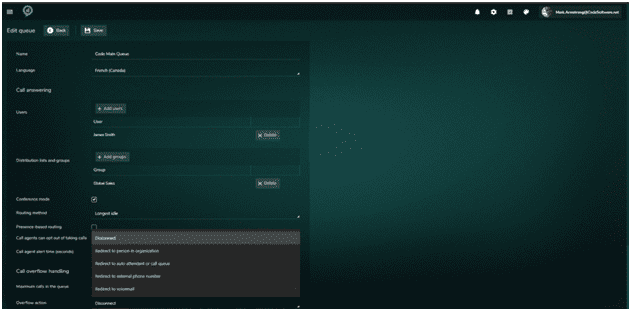
Like For Like CQ And AA Configuration Options with the Teams Admin Portal
All available configuration options in the Teams Admin portal are replicated in NATEO QM for both Auto Attendants and Call Queues. No compromise is required at the config level. The result is call handling times are reduced and customer satisfaction levels increase
Supports Role Based Access and Single Sign On (SSO)
The relevant security policy is applied to employees when logging on to NATEO. Meaning team leaders or managers have the ability to make resources changes and call handling options at a local level. This frees up IT Admin for other tasks
View Queue and AA Performance
The simple table on the landing page gives summary performance statistics or more comprehensive CQ, AA and Agent performance can be seen using NATEO and NATEO RT
» Discover more features: Voice Recorder
Ready to get started?
Get in touch, we are happy to respond.